



Send personalized bulk texts from the number you already have

Bulk Texter Pro adds mail merge to the phone you already text from. Write the message once, point it at a spreadsheet, and everyone gets their own version — in their own private conversation.

$4.99/month after the trial · No per-message fees · No new phone number

8x8 LogoGoogle Messages LogoDialpad LogoGoogle Voice LogoiMessage LogoRingCentral LogoTextNow LogoZoom Logo

Works with 8x8, Android, Dialpad, Google Voice, iPhone, RingCentral, TextNow, and Zoom Phone — using your existing number, so recipients recognize who's texting.

2018
Sending bulk texts since
4.8 ★
From 94 Chrome Web Store ratings
39 million+
Personalized texts sent
300,000+
Hours saved, at 30 seconds per text

Upload spreadsheets

Bulk Texter Pro lets you use CSVs or spreadsheets to generate and send unique personal texts, tailored to each recipient, saving you hours of work.

Schedule in advance

Bulk Texter Pro lets you schedule your texts ahead of time, so you don't have to be at your computer when they send.

Message Previews

Bulk Texter Pro lets you preview the generated texts before you send them, so you can be sure of what you're about to send, and to whom.

Trusted by thousands of customers

What Our Customers
Are Saying

"Working with Bulk Texter Pro has been a breeze! Our rep, Brian, has been super communicative, and helpful. We have been able to get our staff going with minimal friction and add staff as needed easily. This tool has saved countless hours for our teachers and admin and we are so grateful for it! "
- Amy, School Office Manager at Nevada Connections Academy
"I am a teacher. Bulk Texter Pro is phenomenal for the return on investment I get when families of my students keep in contact throughout the school year due to the easy-to-send personalized texts we exchange. Love this program!!"
- Jessica Jacobs, teacher at Alabama Connections Academy
"I was thrilled when I found Bulk Texter on a google search. This product has saved me so much time contacting students. I am able to get information to students quickly. Using this tool has significantly improved reciprocal communication with students. The development team is wonderful to work with and highly responsive."
- Annette, teacher at iSchool Virtual Academy
"I used the program to remind students of State Testing review support. I honestly feel that having this software has increased attendance, therefore, increasing success on the state testing. Furthermore, this has increased our overall GRAD rate. Thank you so very much for this program!"
- Cindy, virtual school teacher in Florida
"I have had a flawless experience with Bulk Texter Pro! It consistently performs its job without any issues. I appreciate the programming behind Bulk Texter Pro, as it has helped me work more efficiently and provide better educational support to my students."
- Coach Dimitrios, Seminole County Virtual School
"Bulk Texter Pro has been a great tool for sending out announcements to students in a quick and efficient manner. The ability to create spreadsheets with certain groups of students is great, as it allows quick access to different messages. Highly recommended!"
- Jason, teacher at Nevada Connections Academy


How it works

  1. 1

    Choose settings

    Pick your texting platform, the number to send from, the delay between texts, and whether each phone number column should get its own thread.
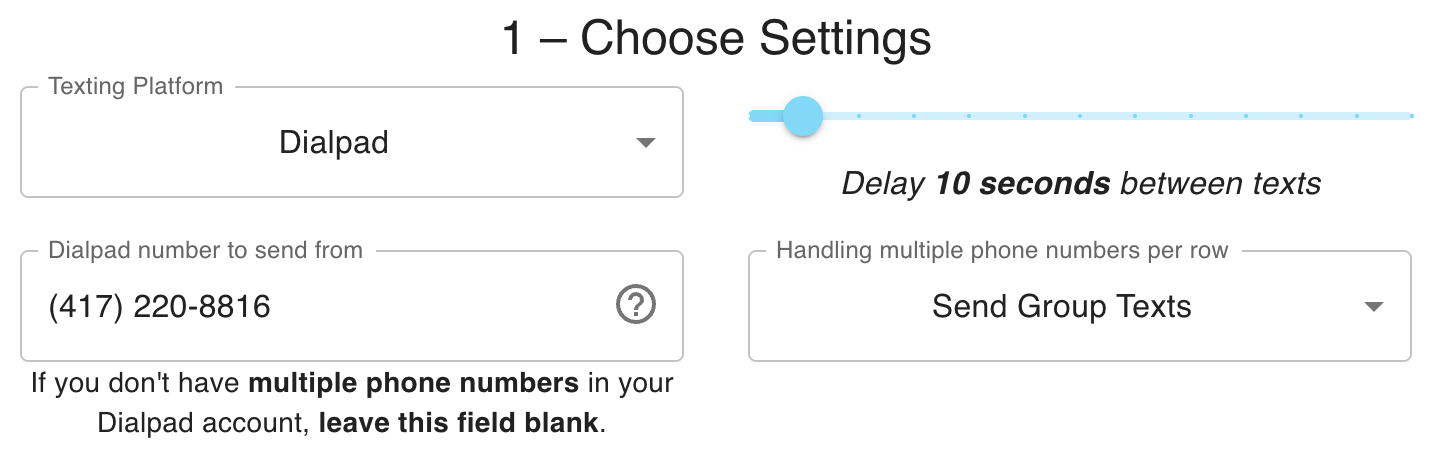
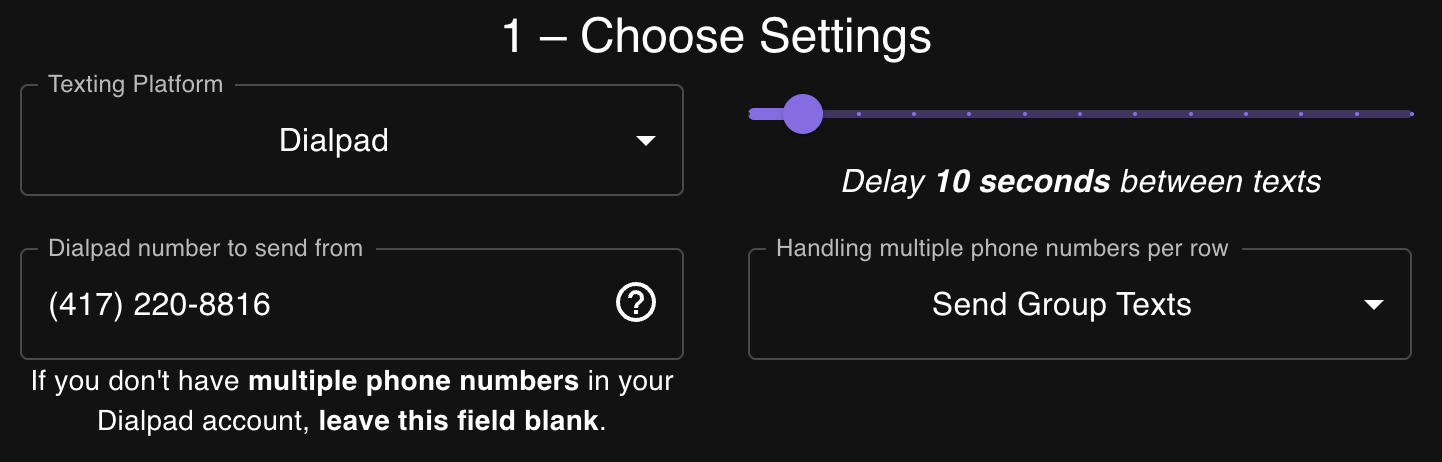
    Bulk Texter Pro settings step: choosing a texting platform, phone number, and delay between textsBulk Texter Pro settings step: choosing a texting platform, phone number, and delay between texts
  2. 2

    Choose recipients

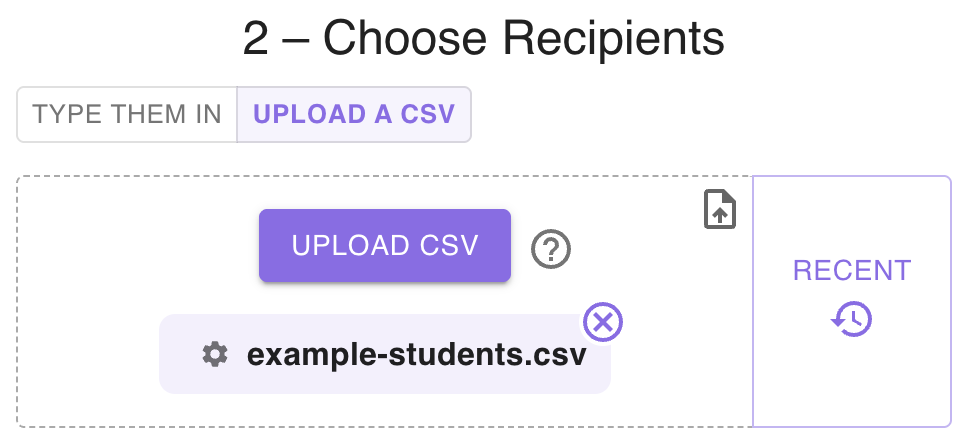
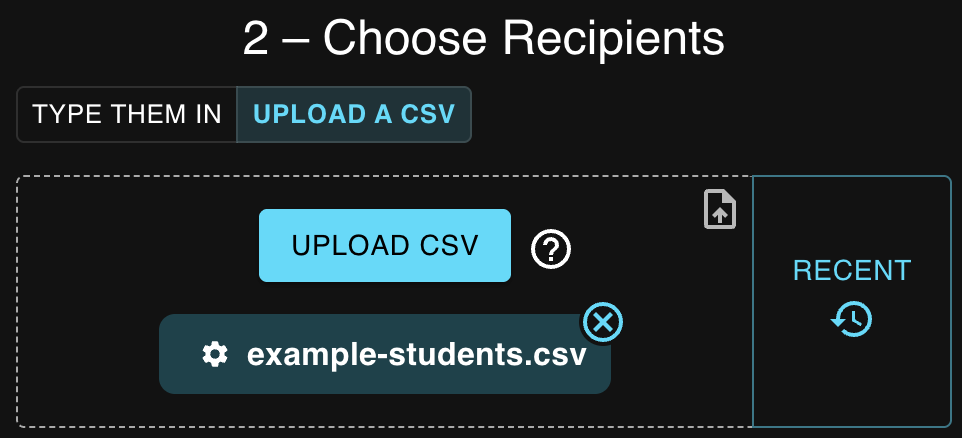
    Upload a spreadsheet and every row becomes a recipient — each column becomes a field you can drop into your message.

    First NameStudent NumberParent NumberGradeSubject
    Steffanie(111) 222-3333(111) 222-444495Algebra
    Jack(111) 222-3334(111) 222-444585US History
    example-students.csv
    Bulk Texter Pro recipients step: uploading a CSV of students to textBulk Texter Pro recipients step: uploading a CSV of students to text
  3. 3

    Draft message

    Write the message once. Fields like {First Name} pull straight from your spreadsheet. You can also attach a photo if you want.
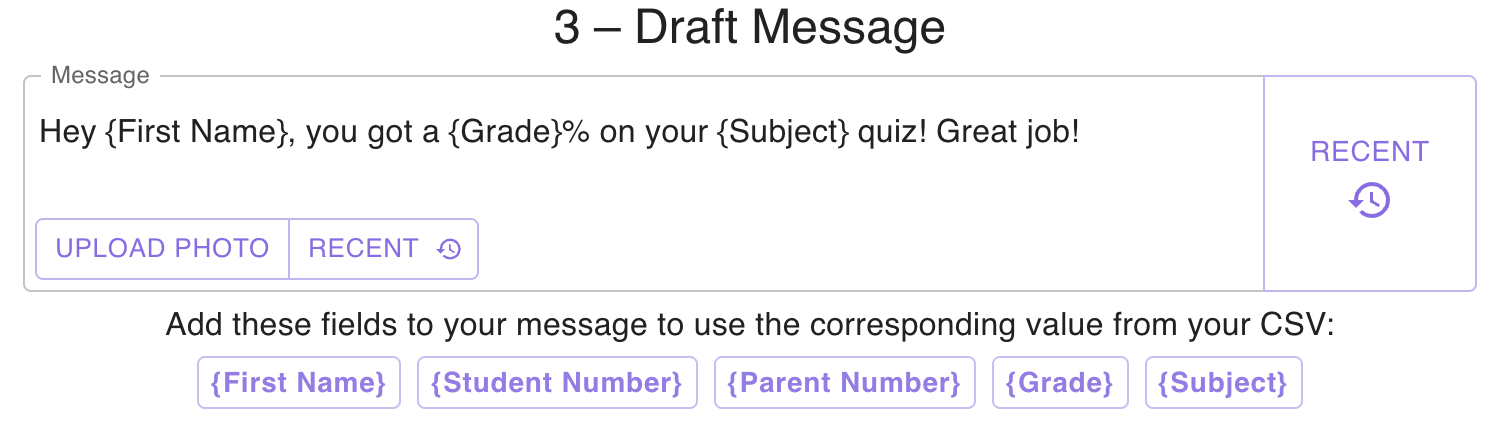
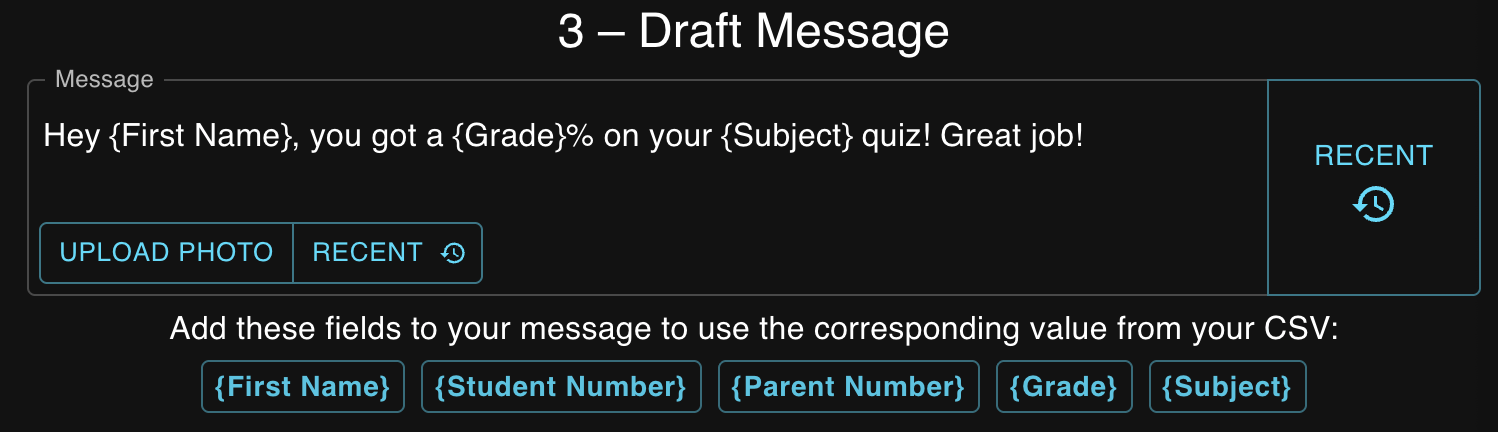
    Bulk Texter Pro draft step: writing a message template with merge fieldsBulk Texter Pro draft step: writing a message template with merge fields
  4. 4

    Preview & send

    Every generated text is shown before anything sends, so formatting issues get caught here — not in a recipient's inbox.
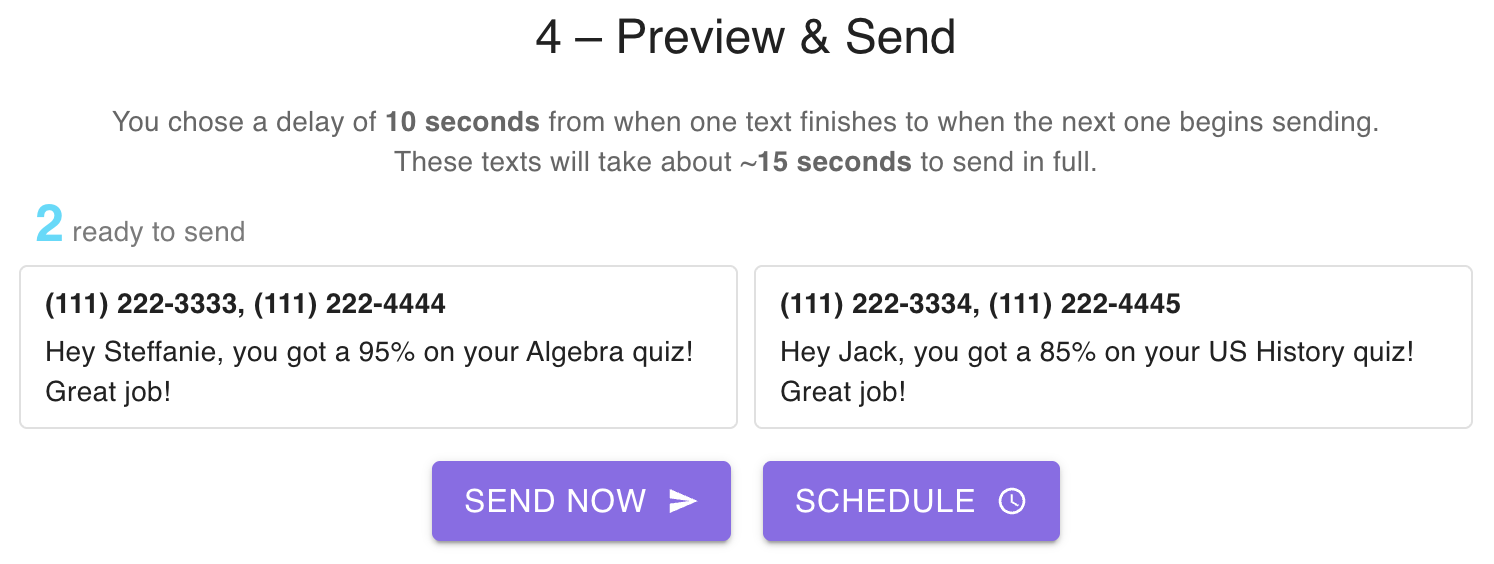
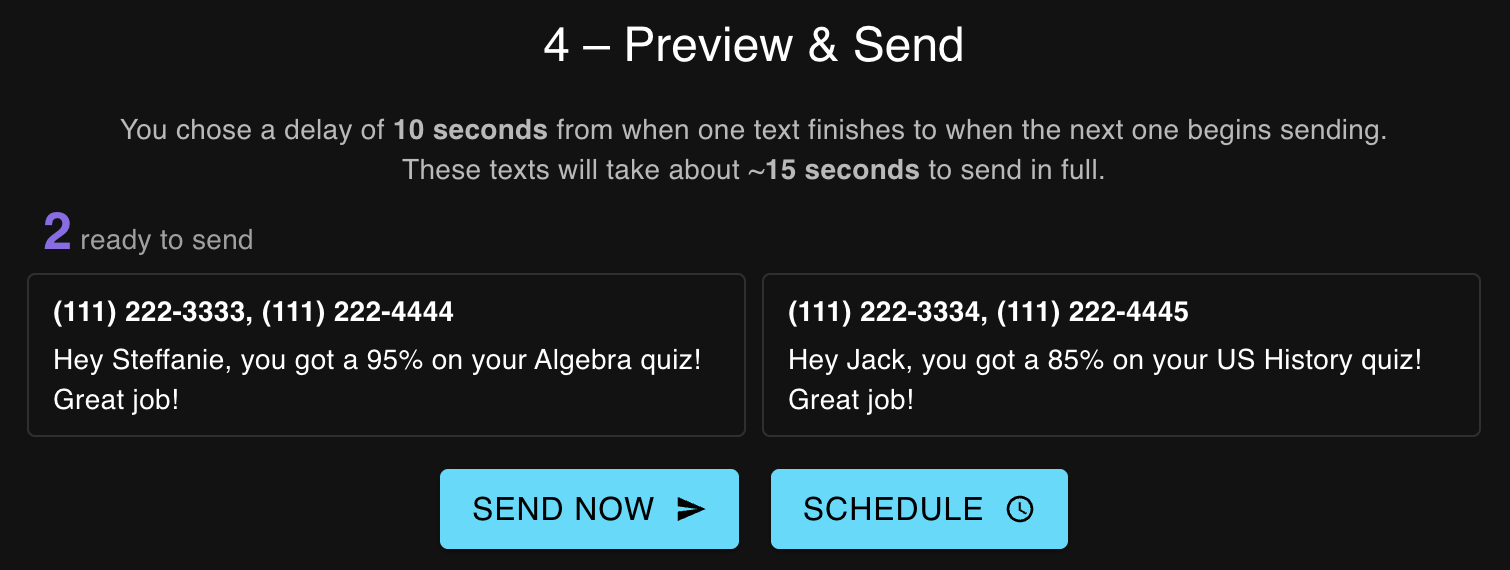
    Bulk Texter Pro preview step: reviewing each personalized text before sendingBulk Texter Pro preview step: reviewing each personalized text before sending
  5. 5

    Send

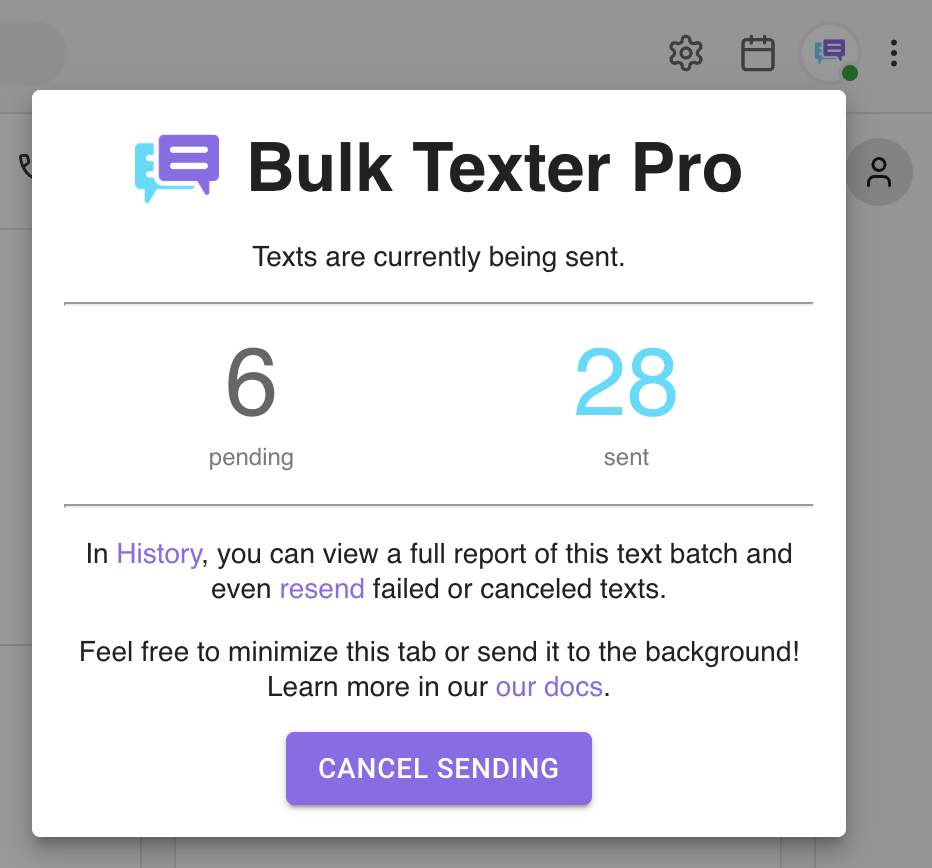
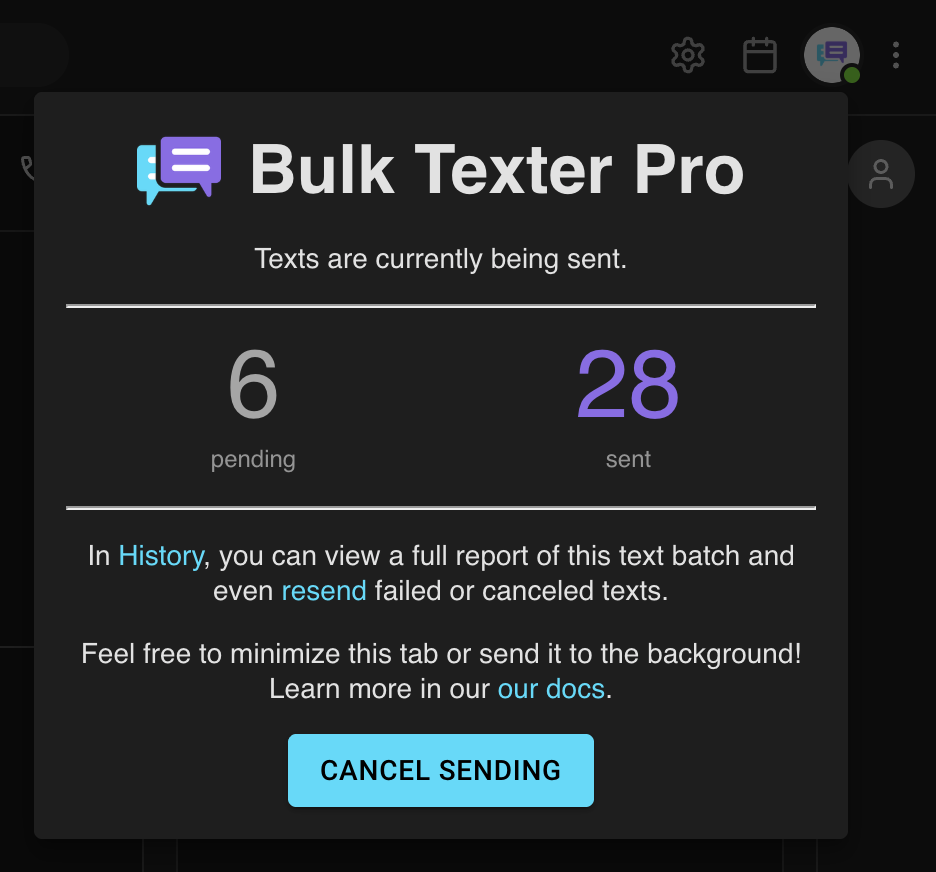
    Watch a live progress report as texts go out, and retry anything that fails.

    Bulk Texter Pro live progress report showing texts being sentBulk Texter Pro live progress report showing texts being sent

Ready to get your afternoon back?

Free for 7 days, then $4.99 a month for one texting platform. No per-message fees, and no new phone number for anyone to learn.