How to send bulk texts with 8x8
Bulk Texter Pro's 8x8 integration requires Bulk Texter Pro v3.6.0 or later.
Sending via the 8x8 app inside Microsoft Teams (see below) requires v3.6.3 or later.
Overview
8x8 Work doesn't include built-in bulk texting or mail merge capabilities. Bulk Texter Pro adds those features, allowing you to send personalized text messages through your existing 8x8 number. Since messages come from your existing 8x8 number, recipients can recognize you as the sender and continue the conversation naturally.
Whether you're a teacher reminding students about assignments, a church contacting members, or a small business following up with customers, Bulk Texter Pro lets you import contacts from a spreadsheet and send individualized text messages that appear as normal 8x8 conversations.
Using 8x8 inside Microsoft Teams
Many organizations roll out 8x8 to their staff as an app inside Microsoft Teams, rather than as a standalone site.
Bulk Texter Pro works with both setups. It doesn't matter whether your organization has you sign into 8x8 at work.8x8.com or use the 8x8 app inside Microsoft Teams — Bulk Texter Pro can send through either one.
Why 8x8?
Many organizations already use 8x8 Work for everyday phone and messaging. Bulk Texter Pro extends those capabilities by adding features such as:
- Personalized mail merge for bulk messaging
- CSV / Google Sheets / Excel spreadsheet imports
- Individual conversations at scale
- Scheduling messages in advance
- Group conversations with parents and students
- Sending photos
- Live progress tracking
No API setup or admin access required
Bulk Texter Pro is the easiest way to add bulk texting and mail merge to an individual user's 8x8 phone number.
Most other options for bulk texting through 8x8 rely on the 8x8 SMS API, which means generating API keys, standing up an integration, and getting your administrator involved before you can send a single message.
Bulk Texter Pro doesn't work that way. There's no API to configure, no keys to manage, and no admin access needed on your 8x8 account. If your 8x8 number is already set up for texting, all you have to do is:
- Install the Bulk Texter Pro browser extension.
- Sign up for a subscription.
- Start sending.
How does it work?
With Bulk Texter Pro, every individual user on an 8x8 account will be able to send bulk personalized texts from their own account's phone number.
Bulk Texter Pro works by performing clicks and other actions on the 8x8 Work web portal on your behalf. You must have an active, SMS-enabled 8x8 phone number and be signed into the web portal for Bulk Texter Pro to work.
Prerequisites
To use Bulk Texter Pro with 8x8, you must meet the following criteria:
- Sign into the 8x8 Work for Web portal, or sign into the Microsoft Teams web app, if your organization has you access 8x8 through Teams instead.
- Your 8x8 account must already be set up and approved for sending SMS to external numbers. See 8x8's SMS registration documentation for details.
- If you access 8x8 directly, you must be using a browser that 8x8 Work for Web supports – 8x8 supports Chrome and Chromium-based Edge, and does not officially support Firefox.
- If you access 8x8 through Microsoft Teams, the 8x8 app needs to be installed in your Teams account and available within the apps tab in the Teams left sidebar.
- Have an active Bulk Texter Pro subscription, and have it installed in one of our supported browsers.
Bulk Texter Pro 8x8 demo
Setup
Step 1: 8x8 SMS setup
Sign into the 8x8 Work for Web portal, or into the 8x8 app inside Microsoft Teams if that's how your organization has you access 8x8. Make sure that you're able to send SMS messages there before you start using Bulk Texter Pro with it.
8x8 requires SMS to be live on your account before any texting – manual or automated – will work. SMS on 8x8 requires brand registration, campaign registration, and then having SMS enabled on your specific phone number. If your number isn't texting yet, your 8x8 administrator will need to complete these steps:
- 8x8 SMS registration overview – registering your brand and campaign.
- Enabling SMS for users and assigning them to a campaign – turning SMS on for your number once the campaign is approved.
Note that 8x8 only supports SMS on US and Canadian phone numbers, and only one phone number per user can be SMS-enabled.
Subscribe to Bulk Texter Pro for 8x8, if you haven't already.
Step 2: Send texts
Try manually sending texts without Bulk Texter Pro, to make sure your 8x8 account is configured correctly.
Now that your 8x8 account is set up, you can start using Bulk Texter Pro!
See our guides on typing in recipients and uploading a CSV for a complete rundown on how to use Bulk Texter Pro.
To send texts with 8x8, select "8x8" in the Texting Platform drop down in the 1 – Choose Settings section. The first time you do this, a popup will ask whether you access 8x8 inside Microsoft Teams or as a standalone app at work.8x8.com — pick whichever matches your setup.
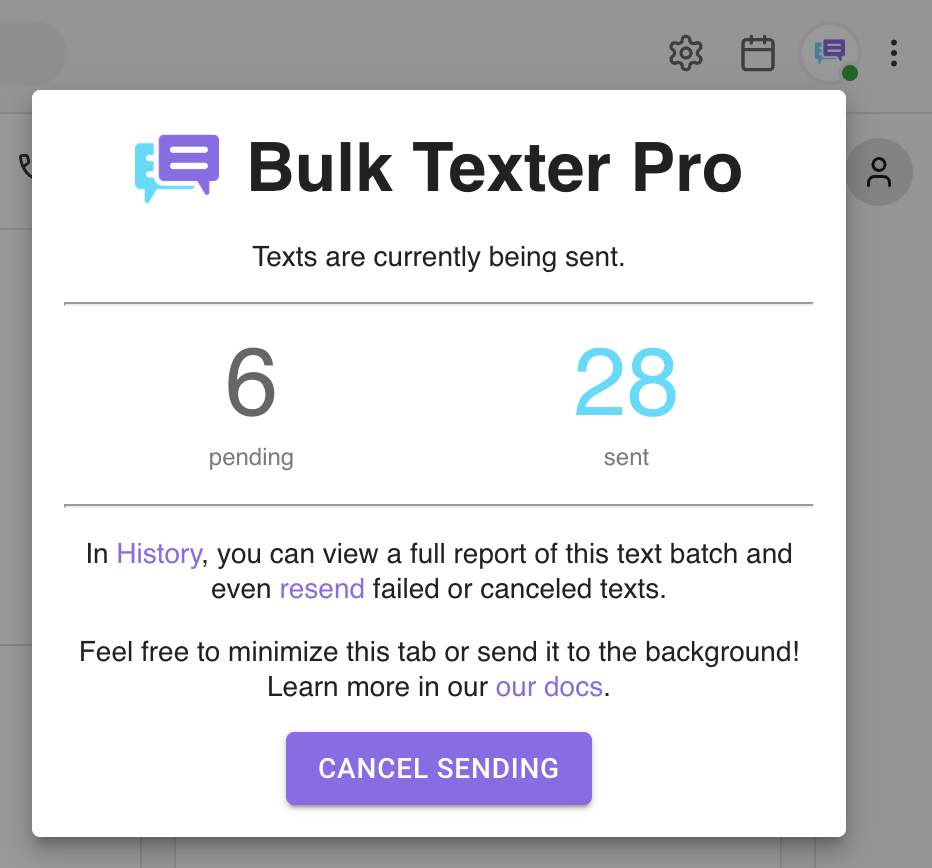
While Bulk Texter Pro is sending texts, it will show its progress live in a popup on your 8x8 tab:
Personalizing your messages
Bulk Texter Pro's mail merge is the reason a batch of 30 texts takes minutes instead of an afternoon. You write the message once with {Placeholders} in it, and every recipient gets their own version.
Start with a spreadsheet — an export from whatever system you already use, or something you typed by hand. It needs a column of phone numbers, plus a column for anything that changes per recipient. Here's what that looks like for a teacher sending progress updates:
| PhoneNumber | FirstName | Subject | Grade |
|---|---|---|---|
| (555) 123-4567 | Maya | Algebra II | 91 |
| (555) 234-5678 | Devon | Algebra II | 78 |
| (555) 345-6789 | Priya | Geometry | 85 |
Save it as a CSV, upload it, and write your message once using the column names as fields:
Bulk Texter Pro fills in the blanks for every row:
You can review every generated message under 4 – Preview & Send before anything is sent. Our CSV upload guide covers the rest — unlimited columns, group texts that include more than one number per row, and attaching photos.
Frequently Asked Questions
Does Bulk Texter Pro use my 8x8 number?
Yes, Bulk Texter Pro will send messages via your own 8x8 number, and conversations will appear in your 8x8 account.
Do I need to set up the 8x8 API?
No. Bulk Texter Pro does not use the 8x8 SMS API, so there are no API keys to generate and no developer setup to complete. It works directly through the 8x8 Work web app that you already use, which is what makes it the simplest way to add mail merge to an individual 8x8 number.
My IT admin blocks me from signing into work.8x8.com. Can I still use Bulk Texter Pro?
Yes. If your organization has you access 8x8 through the app inside Microsoft Teams instead of work.8x8.com directly, Bulk Texter Pro works there too. Just choose "Inside Microsoft Teams" in the Where you access 8x8 drop down (or when prompted the first time you select "8x8" as your Texting Platform). As long as the 8x8 app is installed/enabled in your Teams account, Bulk Texter Pro will find and open it on its own.
Does Bulk Texter Pro work differently depending on how I access 8x8?
No. Whether you sign into 8x8 directly at work.8x8.com or use the 8x8 app inside Microsoft Teams, Bulk Texter Pro supports the same features — personalized mail merge, group texts, and photos all work either way. The only difference is which browser tab Bulk Texter Pro sends through.
Do I need admin access to my 8x8 account?
Not for Bulk Texter Pro itself. You only need admin involvement for 8x8's own SMS registration, which has to be completed before your number can send texts at all. Once your number can text, any individual user can start using Bulk Texter Pro on their own.
Can recipients reply?
Yes, your messages will come from your own 8x8 number, and recipient responses will be sent back to your 8x8 number.
Will recipients see each other's responses?
Bulk Texter Pro supports both bulk individual texts and bulk group texts.
By default, each recipient receives their own private conversation, so recipients cannot see anyone else's replies.
However, you can intentionally create group conversations whenever appropriate, such as including both a student and their parent or guardian in the same conversation.
Who uses Bulk Texter Pro with 8x8?
Bulk Texter Pro with 8x8 is commonly used by:
- Virtual schools
- Teachers
- Coaches
- Churches
- Nonprofits
- Healthcare practices
- Small businesses
- Government agencies
- Volunteer organizations
We've written up the common workflows for schools and teachers, medical and dental offices, trucking and dispatch, and churches and nonprofits.
Can 8x8 send bulk texts?
8x8 Work does not support mail-merge style bulk texting on its own. Your other option is to build an integration on top of the 8x8 SMS API, which requires developer work and administrator access. Bulk Texter Pro adds mail-merge functionality for mass texting via your 8x8 account, with no API setup required.
How many messages can I send with 8x8 and Bulk Texter Pro?
Bulk Texter Pro does not impose any limits on messaging beyond what 8x8 imposes.
Your throughput depends on the campaign your number is registered under, since carriers apply message rate limits based on your approved 8x8 SMS campaign.
For more information, see our best practices and recommendations.
Bulk Texter Pro isn't working as expected.
See our comprehensive troubleshooting guide.